What Kestrel does that pwnagotchi doesn't
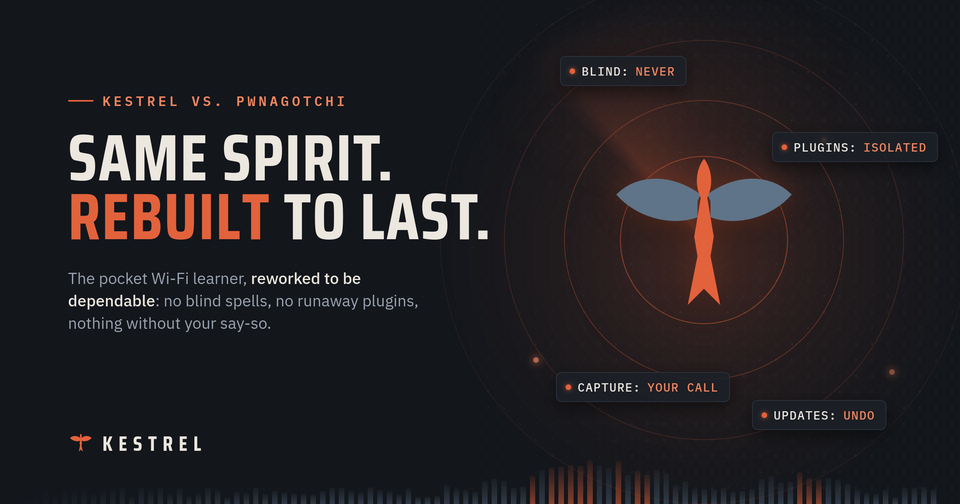
If you've seen a pwnagotchi, you already get the idea: a tiny Raspberry Pi with a cute face that listens to the Wi-Fi around it and learns as it goes. It's a brilliant project, and it's the reason Kestrel exists.
So the obvious question is: why build another one?
Short answer: Kestrel keeps everything that made pwnagotchi charming (yes, including the faces) and rebuilds the parts underneath that tend to break, leak or get in your way. Here's what that means in practice.
First, the ground rules. Kestrel is a research and education tool. Use it only on networks you own or have written permission to test. That isn't small print: as you'll see, it's built into how the device works.
1. It doesn't go blind
Pwnagotchi does its listening with the Raspberry Pi's built-in Wi-Fi chip, which needs specially patched firmware to do the job. That firmware is fragile. When it hiccups, the device goes "blind": it stops seeing networks altogether. Pwnagotchi's fix is written right into its code: it counts how long it has been blind, and restarts itself when the count gets too high.
Kestrel leaves the built-in chip alone. Listening happens on a separate USB Wi-Fi adapter that uses the standard drivers already in Linux, so there's no patched firmware to crash. The built-in Wi-Fi and Bluetooth stay free for what they're good at: talking to your phone.
The trade-off: you need that USB adapter. A device that keeps seeing is worth one extra part.
2. One bad plugin can't sink the ship
Plugins are where the fun is: GPS tagging, uploads, screens, batteries. They're also where things go wrong.
In pwnagotchi, nothing keeps an eye on plugins. The original version starts a fresh background task every time something happens, and if a plugin gets stuck, new tasks quietly pile up behind it. The community fork tidied that into one queue per plugin, but a stuck plugin still just sits there, forever, with its queue growing.
Kestrel watches. Plugins share a fixed pool of workers. If one takes too long, it's noted. If it gets truly stuck, it's benched, and the status page tells you which one and why. Everything else keeps running.
It goes beyond plugins, too. Kestrel splits its work into separate programs: the capture engine, the brain-and-dashboard, and the learning agent each run on their own. If the AI runs out of memory, your dashboard doesn't go down with it. And the screen is just a plugin now, so a display problem can't freeze the rest of the device.
3. A small core, and everything else is a plugin
Pwnagotchi builds a lot into its core: the screen, the AI, and the "grid" that links devices to a central server. If you don't want one of those, you're working against the grain.
Kestrel's core is deliberately small: it runs plugins, serves the dashboard, and gets out of the way. The e-ink face, GPS, uploads to services like WiGLE and wpa-sec, backups, battery monitoring, updates and remote training are all plugins, and every one of them ships switched off. You turn on what you want.
Plugins are better behaved, too:
- They say what they do. Each plugin declares up front whether it reads your captures, uses your location or sends data off the device, and the dashboard shows it.
- Their settings get checked first. A typo in a setting shows up as a clear message, not a mysterious crash.
- They know their version. A plugin written for a newer Kestrel is politely refused, with a reason, instead of half-working.
If you've written pwnagotchi plugins, Kestrel will feel familiar: same plugin class, same hook names. It isn't a drop-in, though. A few hooks hand you tidier information than pwnagotchi's did, so a ported plugin needs small changes.
4. Nothing happens until you say so
Out of the box, pwnagotchi's attack settings are switched on. Power it up and it gets to work.
Kestrel ships with capture off. To turn it on, you tick an authorized-use acknowledgment yourself, and it is never pre-ticked or switched on by default. Any plugin that sends data off the device asks for the same acknowledgment. And a whitelist keeps the networks you name from ever being targeted.
5. Your data stays on your device
Pwnagotchi's "grid" plugin is switched on by default, and it connects your device to a central server. In the most active community fork, it is also set by default to report the names and addresses of the networks you've captured.
Kestrel has no central server. Nothing leaves the device unless you switch on a plugin that sends something, and acknowledge it. Even then, you choose where it goes.
6. Admin rights only where they're needed
In pwnagotchi, everything runs with full control of the device. That includes every plugin you install, from wherever you found it.
Kestrel's brain, its dashboard and all its plugins run as an ordinary user. The handful of jobs that genuinely need admin rights, like changing settings, starting capture or rebooting, go through one small gatekeeper that checks each request before acting on it. And the dashboard only listens on the link to your phone or your Wi-Fi, never on the radio that's doing the capturing.
7. Updates with an undo button
Pwnagotchi's auto-update is on by default: it downloads new versions and installs them on its own. If an update goes wrong, there's no automatic way back.
Kestrel's updates are opt-in, and you decide when to apply one. Before installing, the device double-checks the release. If the new version doesn't come up cleanly, it rolls itself back. If the power dies halfway through, it finishes the rollback at the next boot. And when a release needs a fresh install rather than an in-place update, Kestrel tells you, instead of trying anyway.
8. A brain that has to earn its place
The original pwnagotchi's AI tuned its own timing settings with machine-learning tools that are now long out of date. The most active fork has removed the AI entirely.
Kestrel's learning agent decides where and how to listen: which channels, for how long, and whether to listen quietly or actively. It runs as its own program, so it can't destabilize the rest of the device. It's always measured against a plain, predictable sweep, and a newly trained brain only takes over if it actually beats the current one. You can train it on the device (on a Pi 5) or hand the training off to your desktop.
And the face never lies: it only looks "smart" when a learned brain is genuinely in charge.
9. A dashboard made for your phone
Pwnagotchi's web page is mostly a mirror of its little screen, plus a plugin list and grid messages.
Kestrel's dashboard is built for a phone. Start and stop capture. Turn plugins on and off and change their settings. Browse and search what you've captured, with locations when you have them. Check on the learning agent, adjust advanced settings, and read the full user guide, all served by the device itself, in dark mode if you like. There's even a live mirror of the e-ink screen, which works with no screen attached.
Getting connected is easier too. On first boot, Kestrel opens a short Bluetooth pairing window: pair your phone, no PIN to hunt for, and you're in.
10. Built like it's meant to last
- Modern foundations. A current 64-bit Raspberry Pi OS. The original pwnagotchi's last release sits on a 2019 system (the community fork has since moved forward).
- Tested. Nearly a thousand automated tests run on every change. Neither pwnagotchi repository has an automated test suite.
- Clean by design. The public image carries no secrets, and every change is automatically checked for things that should never be public, like keys, real device addresses and capture files.
Fair's fair: where pwnagotchi still wins
- Smaller, cheaper hardware. Pwnagotchi runs on a Pi Zero with nothing plugged in. Kestrel is happiest on a Pi 5 and always needs a USB Wi-Fi adapter. A Zero 2 W works, with limits.
- Friends. Pwnagotchi units can spot each other and say hello. Kestrel doesn't do that.
- A huge plugin library. Years of community plugins exist for pwnagotchi. Most will need small changes to run on Kestrel.
The short version
Pwnagotchi proved that a pocket-sized Wi-Fi learner could be fun. Kestrel is that idea rebuilt to be dependable: it doesn't go blind, one bad plugin can't take it down, nothing happens without your say-so, your data stays yours, and updates come with an undo button.
Want to try it? Grab the latest release from the Kestrel releases page and read the Kestrel user guide. And remember: your own networks, or ones you have permission to test.
Member discussion