Letting an AI agent do the beta testing nobody wants to do
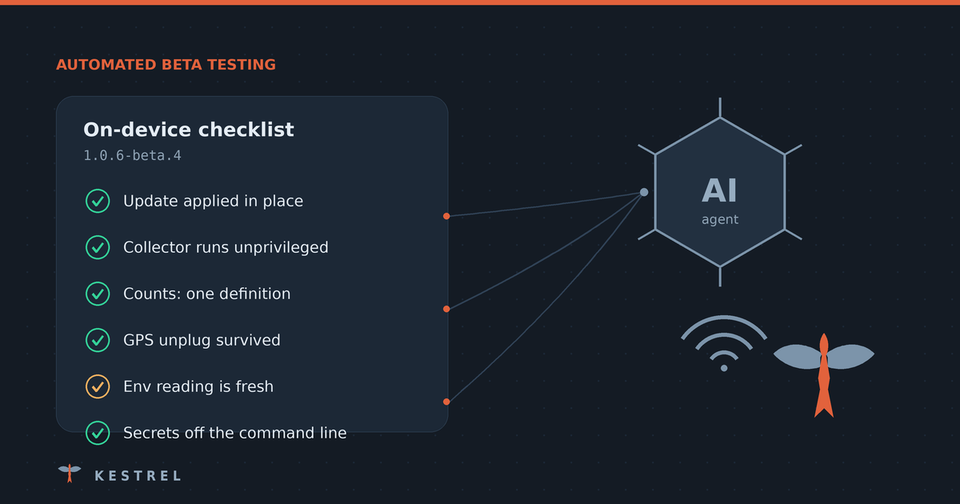
Beta testing is the part of shipping that everyone agrees matters and nobody wants to do. You cut a release and put it on a device. Then you're supposed to work through a checklist: SSH in, check file permissions, read journal output, compare version strings, and confirm that the thing you fixed is actually fixed. Somewhere around the tenth ls -l your attention drifts, and the checklist ends up "mostly done".
For my research project, Kestrel, I've handed most of that work to an AI coding agent (Claude, running in my terminal). It doesn't replace testing. It makes the tedious 80% happen every time, so the 20% that needs a human gets real attention.
Here's the loop, what it caught, and the guardrails that make it safe.
The loop
Every beta release follows the same three steps.
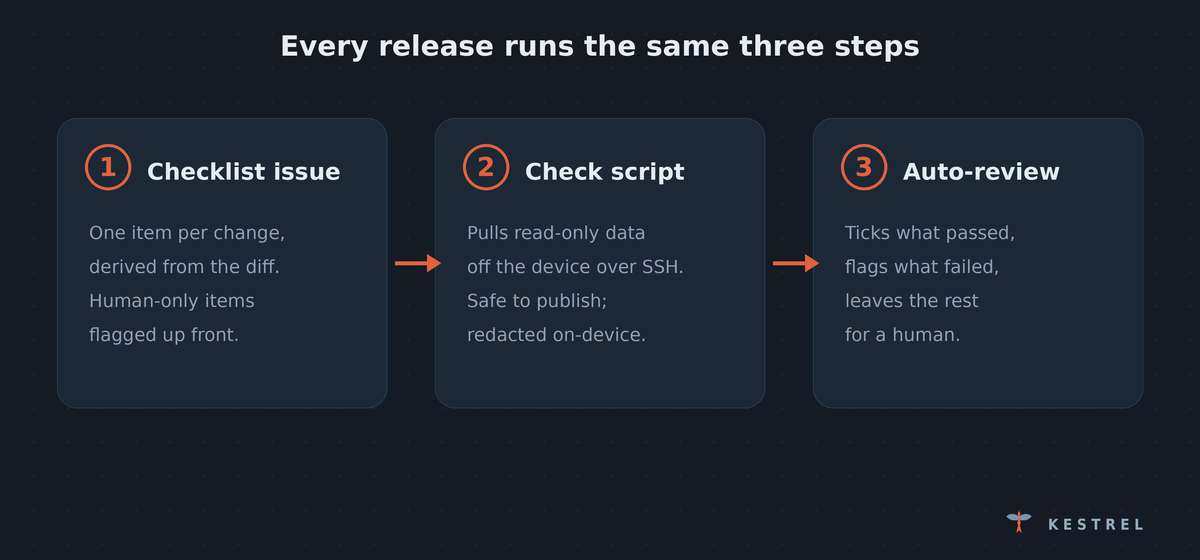
1. The release gets a checklist issue
When a beta is published, the agent opens an issue in the repository: "On-device checklist for X.Y.Z-beta.N". It writes the checklist from the diff since the last release, so it covers what actually changed, not a generic template:
- every item is numbered (
2.3,3.1, …); - items are grouped by the change that introduced them;
- anything a script can't judge is tagged 🖐 by hand up front: how a page looks, a prompt that hides your input, a fresh-flash smoke test.
The issue says at the top that it's public, so anything posted to it uses placeholder data.
2. The agent writes a check script for that release
Alongside the checklist, the agent updates a small pair of scripts. One runs on my laptop. The other is copied to the device over SSH and run once.
Each checklist item the device can prove becomes a CHECK line in the report with the same number:
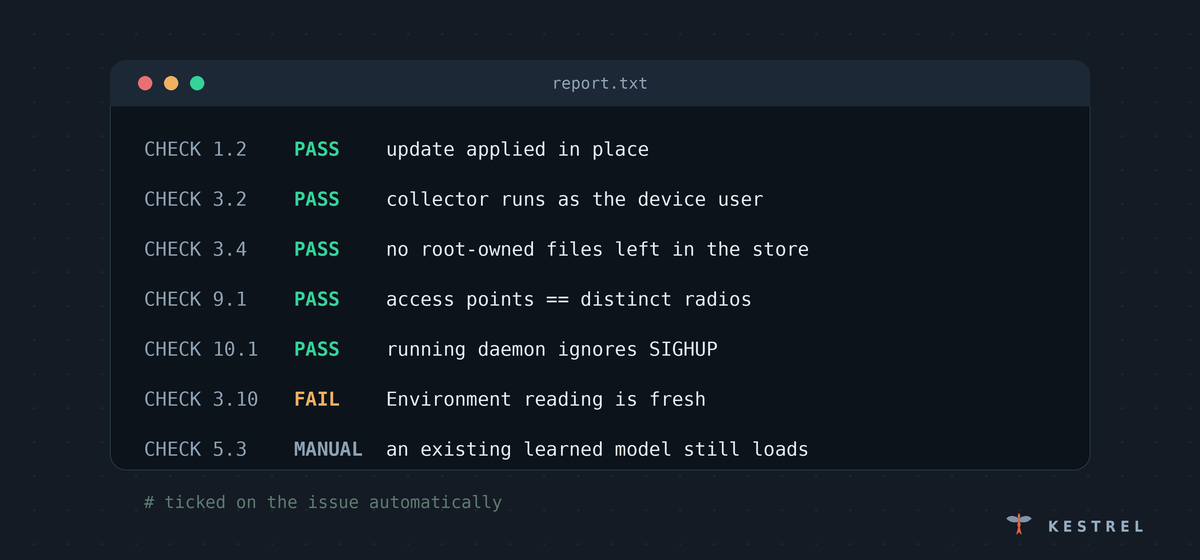
CHECK 2.2   PASS   no root-owned files or folders left in the store
CHECK 2.3   PASS   no 'Permission denied' from the collector since capture started
CHECK 4.4   FAIL   Environment reading is fresh :: no fresh reading while capture runs
The scripts go through the same PR review and linting as the rest of the code. Then the agent zips them and attaches them to the release's issue automatically. They contain no hostnames, IP addresses, account names or passwords. The device is passed as an argument, and the device's account name is read from the device itself. That makes the scripts safe to publish in a public repo.
3. I run it, and the agent reviews the result
I run one command against my test device, wait a minute, and hand the agent a single text report. It reads the report and edits the issue. It ticks only the items the report shows were checked and passed, and marks each one ✅ script. Failures and anything inconclusive stay unticked, and the agent explains them to me in the terminal rather than on the public issue.
What's left for me is a short list of genuinely human checks.
What it actually caught
This isn't hypothetical. The first two betas using this loop both turned up real problems.
Beta 1: a regression that only hit upgraded devices. The release had moved the capture collector from running as root to running as an unprivileged user, which is a security improvement. The report showed hundreds of capture files still owned by root, and a couple of hundred "Permission denied" errors in a single boot. Files the old root collector created couldn't be appended to by the new one, so on an upgraded device new results for those files weren't being saved. A fresh install would never have shown it.
The fix in beta 2 hands ownership of those files over safely, and the next report confirmed it: 609 files handed over, none skipped, zero permission errors.
Beta 2: a bug that predated the beta entirely. One check kept failing: the "what's in radio range" reading on the dashboard had gone stale. The agent noticed from the timestamps that the reading had stopped refreshing before the beta was even installed, so the new code wasn't to blame. It traced the code and found the cause:
- The learning agent rewrote its scan-plan file every 30 seconds, even when the plan hadn't changed.
- The capture service restarted the radio tool whenever that file's timestamp changed.
- Each restart threw away the database the reading came from.
The agent gave me a one-line command to confirm it on the device. The answer came back as 17 restarts in 30 minutes. That bug had been there since the first commit, and a manual checklist would never have surfaced it.
The guardrails matter more than the automation
An agent running scripts as root on a field device needs firm rules. These live in the project's instructions to the agent, so every release follows them:
- Read-only, and it never touches the network link. The device is managed over Bluetooth or Wi-Fi, and losing that link strands it. So the script never calls the network or Bluetooth tools and never starts, stops or restarts a service.
- Config tests run on a copy. Some checks need to test that a bad setting is refused. They run against a throwaway copy of the config, in a process where running any command is blocked, and a checksum before and after proves the real file wasn't touched.
- Nothing real leaves the device. The report never contains captured data. Network names, MAC addresses, IPs, coordinates, hostnames and secrets are masked on the device before the report is copied back. Journals that might contain network names are reported as counts only.
- The report stays private. It's one plain text file, saved outside the git checkout (the script refuses to write inside one). It's handed to the agent directly and never attached to the public issue. Only the pass/fail results go public.
- Every check is tested so it can fail. Before a script ships, the agent runs it against staged copies of the code, including a deliberately broken copy, to prove each check can actually fail.
Where the agent got it wrong
It's worth being honest about this, because it's part of why the process works.
- Its first script leaked my username. It packaged the report as a
.tar.gzbuilt on my Mac, and tar quietly recorded my local username and macOS metadata in the archive. The agent spotted this when it unpacked the first report, and switched to a single plain text file. - It over-redacted. The device's hostname matched the project name, so masking the hostname mangled every file path in the report. That was fixed in the next release.
- It called something a failure that wasn't. It flagged a folder of leftover files as a failure, then read the code more carefully, found the folder is kept by design, said so, and corrected the check.
- It once ran too early. I ran a check 95 seconds after capture started, so the freshness check failed. The script now skips time-dependent checks with a reason ("capture has run only 95s; run again after 10 min") instead of failing them.
None of these slipped through, because the agent reviews its own output and the rules force it to stop and say so when something looks wrong. Errors still happen. The difference is that they get caught and turned into a better check for the next release.
Why this works
People find this work boring, and boredom is where steps get skipped. An agent doesn't get bored. It will read every line of every report, check every box it can actually verify, and refuse to tick the ones it can't.
The result:
- beta testing happens on every release, not just the ones I have energy for;
- each release's checklist matches what actually changed;
- most of the checklist is verified from data, not eyeballed;
- the few things that need human judgement are clearly marked;
- bugs get caught before the stable release, including ones that weren't in the release at all.
My part is a single command, then fifteen minutes on the items only a human can judge.
If you want to see how it's built, the check scripts and their safety rules are in the project repository under tools/beta-check/.
Member discussion