Meet Kestrel: a Wi-Fi companion that learns how to listen
Kestrel turns a Raspberry Pi into a small, battery-powered Wi-Fi companion that watches the networks around it, collects WPA/WPA2 handshakes for authorized testing, and runs a reinforcement-learning agent that decides where and how to listen next. It is headless by design: you reach it from your phone over Bluetooth, and it shows what it is doing on a small e-ink face and a full web dashboard.
It is a tool for authorized testing — networks you own or have explicit permission to assess. Everything that touches the air or the network ships switched off, and turns on only after you acknowledge that. No credentials are baked into the image, so the whole project is a safe, public base to build on.
The windhover idea
Kestrel is inspired by pwnagotchi, the pocket Wi-Fi companion that framed wardriving as a tamagotchi: a little creature with an emoticon face that got “happy” as it collected handshakes and used reinforcement learning to tune its capture. That playful framing — a living pet that learns from the radio around it — is the spark Kestrel keeps.
The name is the rest of the idea. A kestrel is the falcon that windhovers: it holds itself dead-still in the air, facing the wind, to watch the ground below before it strikes. That is exactly the posture of a good capture device — it sits in one place and scans the band around it, patient and deliberate.
Kestrel keeps the spirit and stays source-compatible with the pwnagotchi plugin API, but it is a ground-up reimplementation on a modern, maintainable foundation — not a fork of the original code.
You drive the whole thing from your phone
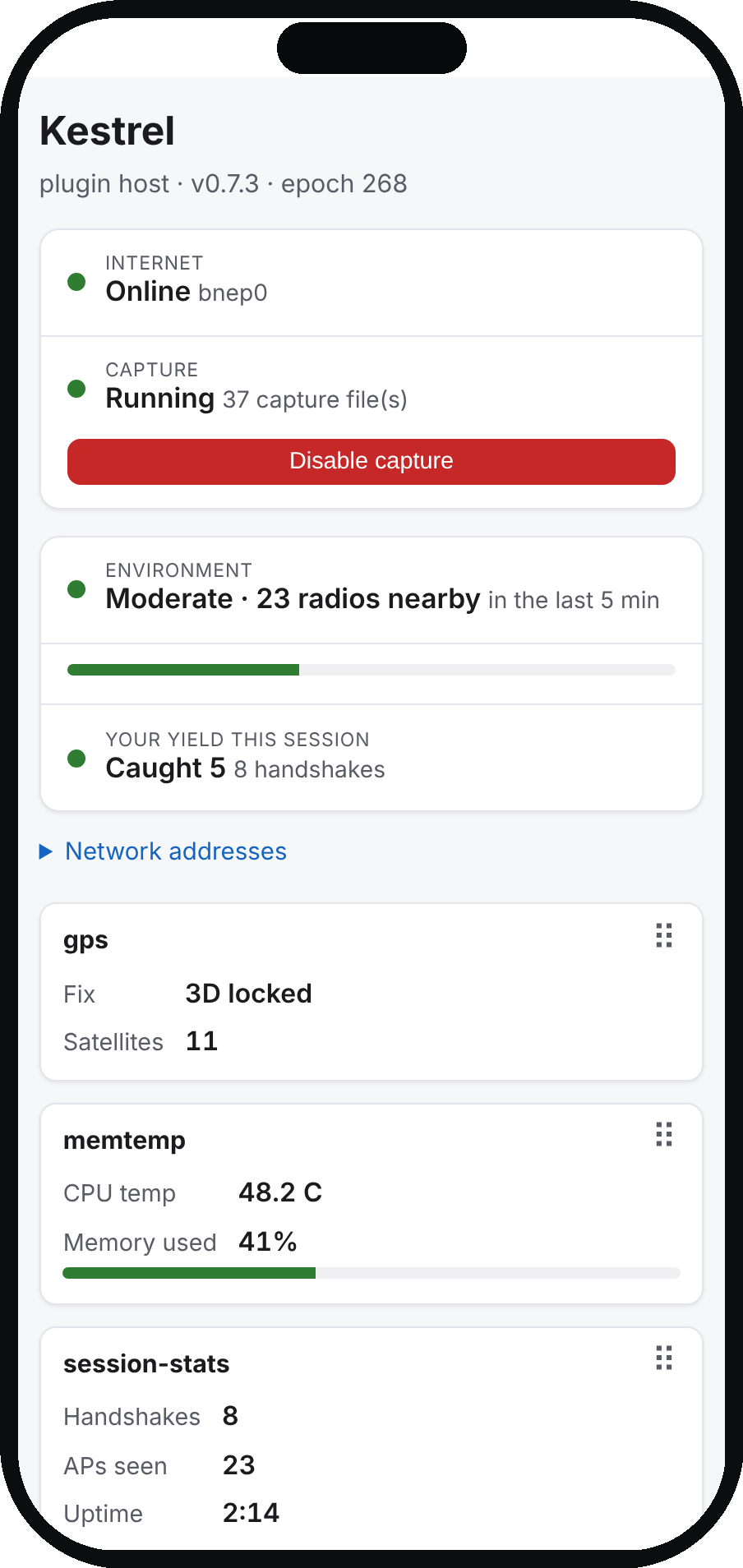
Kestrel serves a mobile-first web dashboard over its management link. It is server-rendered and dependency-free — no JavaScript framework, no build step, no app to install — a fast, responsive, dark-mode-aware page that works the moment you connect. It shows live status, a readout card from every enabled plugin, and the learning agent, and it drives capture, plugins and power with real controls.
Logging in uses the device account itself — the same credential as SSH, checked live against the system — so there is no separate web password to store or let drift. The dashboard binds only to the management link, writes are CSRF-protected, and privileged actions pass through a single vetted root helper rather than handing the web server any extra power.
Seven things the rebuild buys you
1. An agent that actually learns the posture
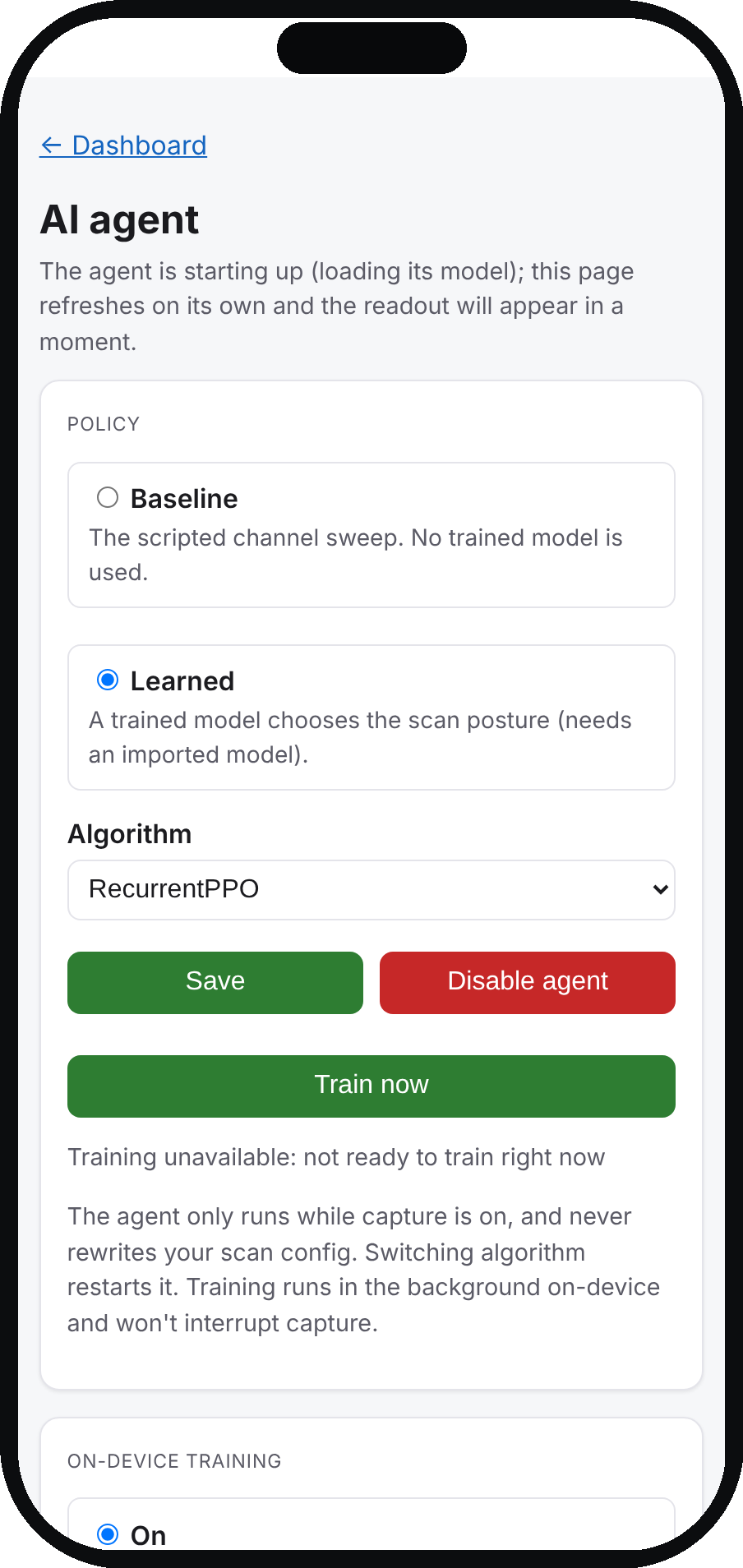
Kestrel’s agent chooses a whole scan posture each decision window — sweep the band, lock onto the strongest subset, pin a channel, or autohunt — crossed with a dwell time and whether to transmit. It observes mobility cues so a recurrent policy can tell “parked” from “moving.” It runs on stable-baselines3 (RecurrentPPO by default) and always falls back to a scripted sweep, which is also its benchmark: a learned model is only adopted if it beats the fallback.
2. It tells you whether a spot is worth your time
The original pet only ever showed what it had caught. Kestrel also shows what is in range right now: a live environment readout — “Moderate · 23 radios nearby,” a density word from Quiet to Dense, next to a plain-English line of what you’ve caught this session. A dense area where you’re catching little is worth staying in or changing posture for; an empty one isn’t — and before, the dashboard couldn’t tell those two apart. It counts the transmitting radios the capture engine has actually seen over the last few minutes — honest about the hardware’s bursty timing rather than faking an instant census — reads only while capture is on, and rides along on the e-ink face as a NEAR count.
3. A real plugin system, not a patchwork
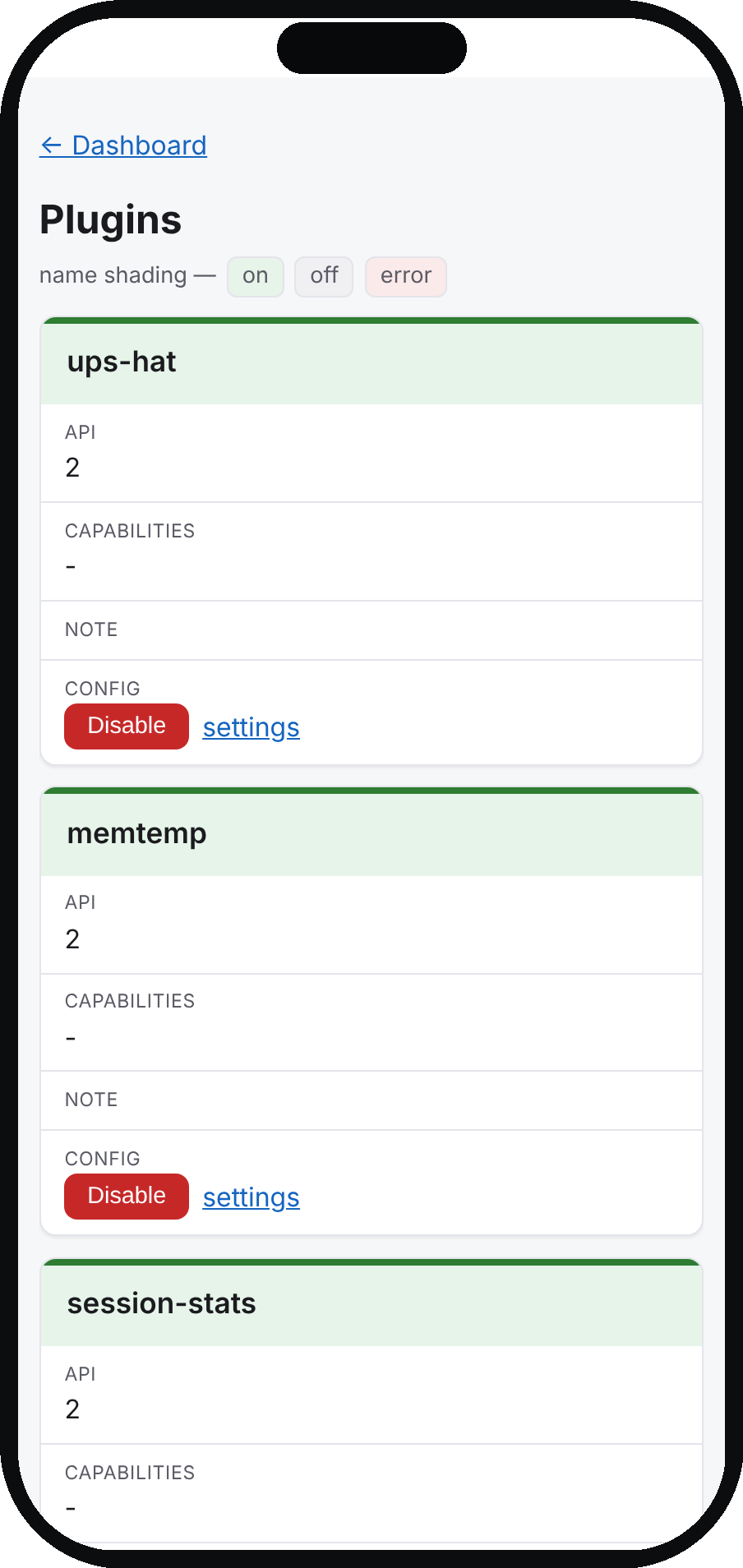
Features ship as plugins hosted by a small daemon. The Plugin base class and on_* hooks stay source-compatible with the original API, but underneath it is modern: hooks dispatch off the main loop so one slow plugin can’t stall the rest, plugins declare capabilities and permissions, dependencies are ordered, the hook API is versioned, and a misconfigured plugin reports an error state instead of crashing the host. Nine reference plugins ship, all disabled until you choose them.
4. It knows where it is
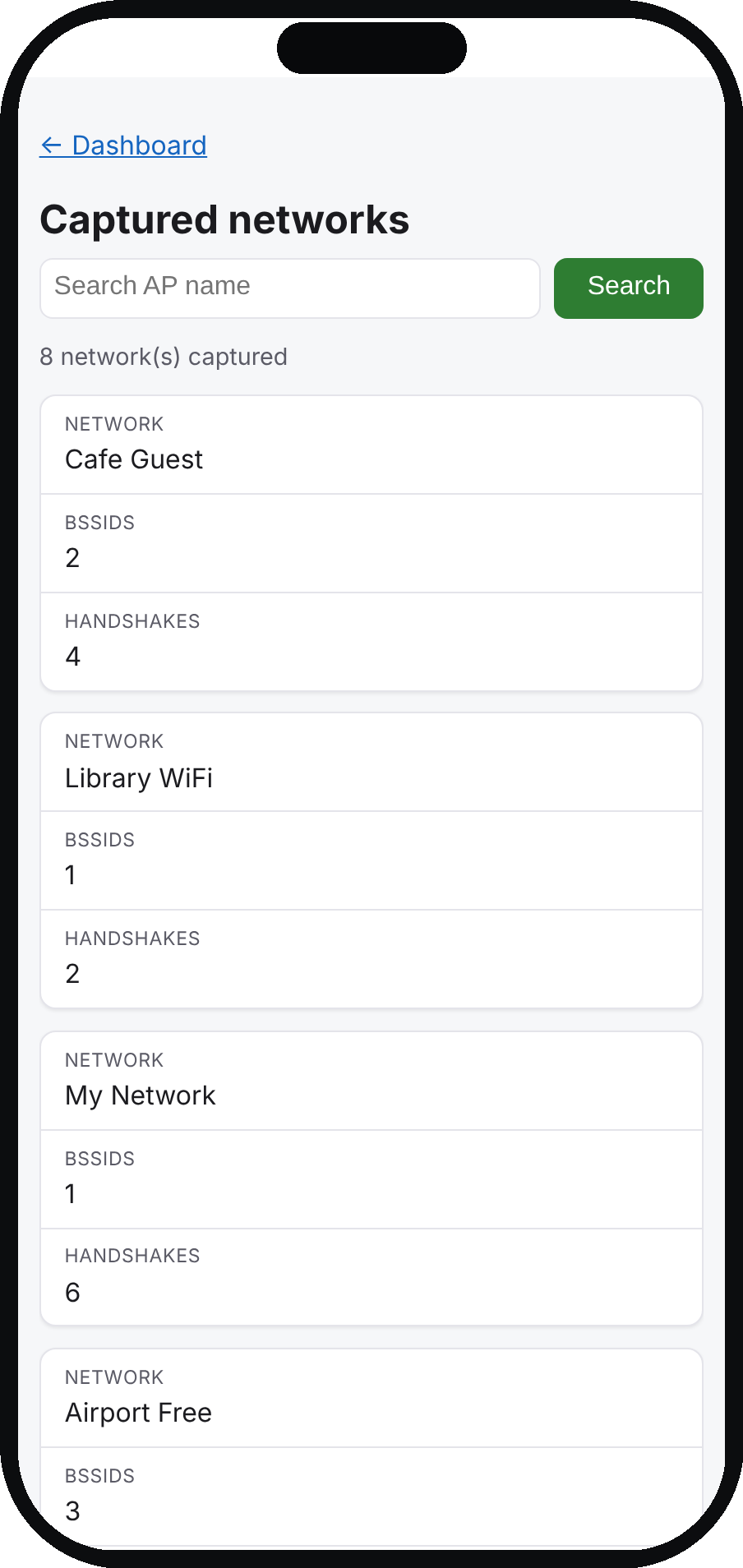
A GPS plugin tags every handshake with a fix and shares that position with everything else. From there, a wigle plugin can contribute wardriving observations and a wpa-sec plugin can upload hashlines and pull back cracked results — each opt-in, each collecting only your own settings. Every captured network is searchable from the phone.
5. The tamagotchi face, done on e-ink
Kestrel keeps the pet. A classic animated emoticon face lives on a 2.7″ e-ink panel, with status glyphs around it — Bluetooth and Wi-Fi links, GPS lock and satellites, a motion glyph that only appears when the device is moving, battery, handshakes, uptime and channel plan — plus one kestrel mark that hovers when parked and stoops when moving. The panel only redraws when the frame changes, which keeps e-ink refreshes rare and the battery happy.
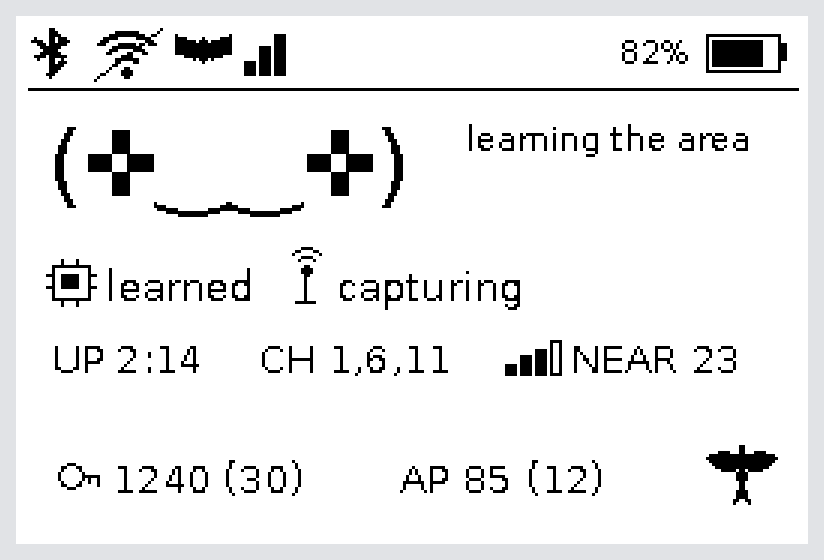
NEAR count of radios in range, lifetime handshake and AP counts, and the kestrel mark.6. Offload the heavy lifting
Training a policy or cracking a capture is slow on a Pi, so Kestrel can borrow your desktop. A remote-train plugin runs the identical trainer over SSH on a machine you own and stages the result back for the device to score and adopt; a companion workflow sends selected captures to your own cracking host. Both use passwordless SSH you set up once, survive a dropped link, and stay independent of any upload service.
7. Updates without a reflash
An opt-in updates plugin notices a newer release and can apply it in place over the network — no pulling the SD card — for the parts that can change safely, falling back to a flagged reflash when a change goes deeper. The device is built by a scripted Packer + Ansible pipeline on current 64-bit Raspberry Pi OS, so the whole image is reproducible, auditable and easy to extend.
The rest of the interface, in your pocket
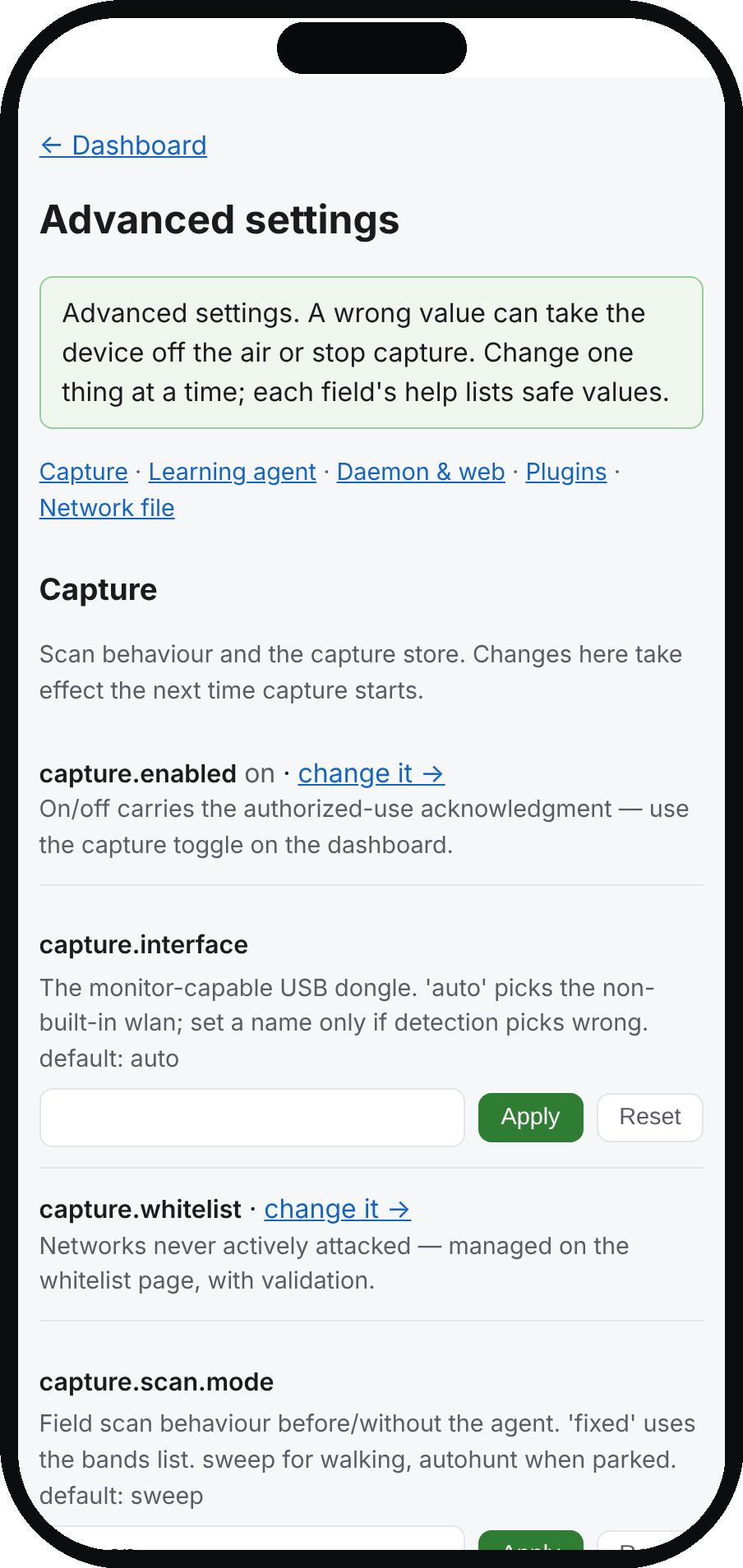
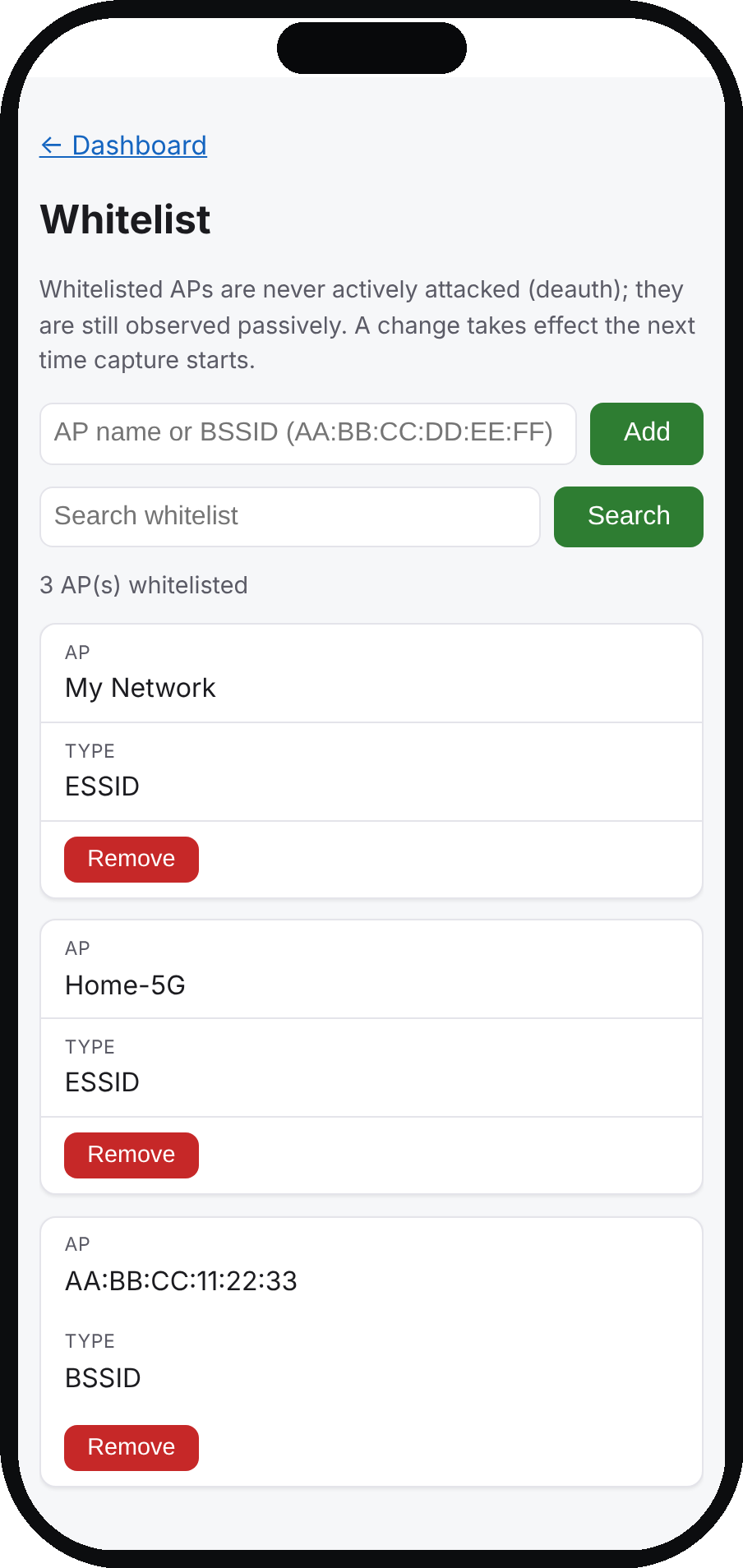
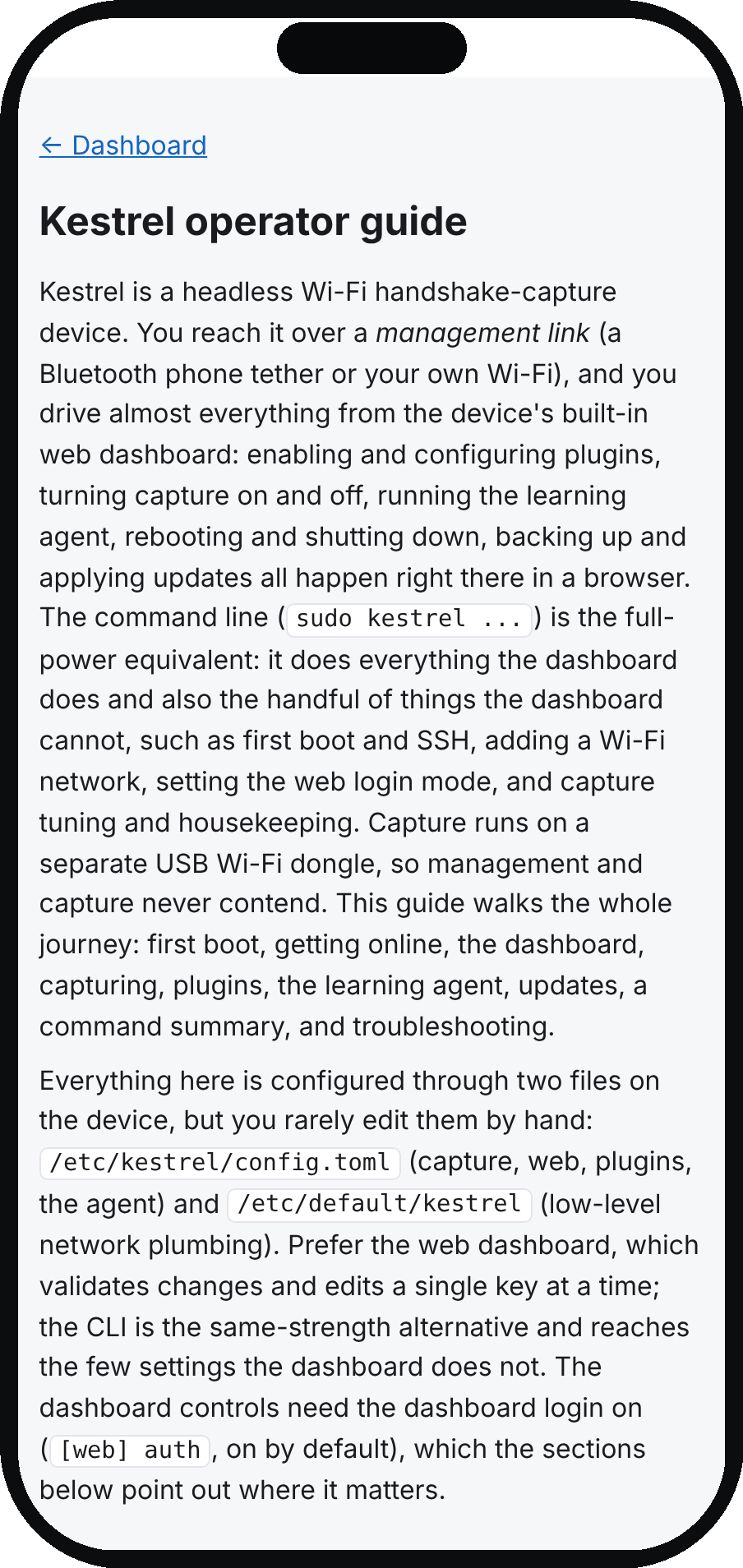
Every screen is the same server-rendered, dark-mode-aware page, sized for a phone held over a Bluetooth tether in the field: the AI agent, the plugin manager, advanced settings, the capture whitelist, and the on-device user guide.
Safe by default, on purpose
Capture transmits deauthentication frames, so it is treated as a loaded tool. It — and every plugin that sends data off the device — ships disabled and asks for an authorized-use acknowledgment the first time you enable it. The capture store is append-only (handshakes are never silently deleted), and capture runs on a dedicated USB Wi-Fi adapter so the built-in radio and Bluetooth stay free for management. You are always the one who turns things on.
Get it
Kestrel is open source and under active development. The code, the full build pipeline, and documentation split by audience all live in the repository. Browse the project on GitHub.
Kestrel is for authorized security testing on networks you own or are permitted to assess. Screenshots show sample data.
Member discussion